MOS / Modules / Workforce
VISITOR MANAGEMENT BY MOS
Available

Visitor Management

Every visitor registered, approved by the host, and a QR gate pass — with a live list of who is inside.

“Every visitor registered, approved, and a QR pass — and the plant knows who is inside.”

Guard registerHost approvalQR gate passCheck in / outInside-now list
See it on my machineSee the screen
Product UI showcase

The real screens, not a mock-up

Captures of MOS as it runs — what your supervisor, packer, dispatcher and head office actually see.
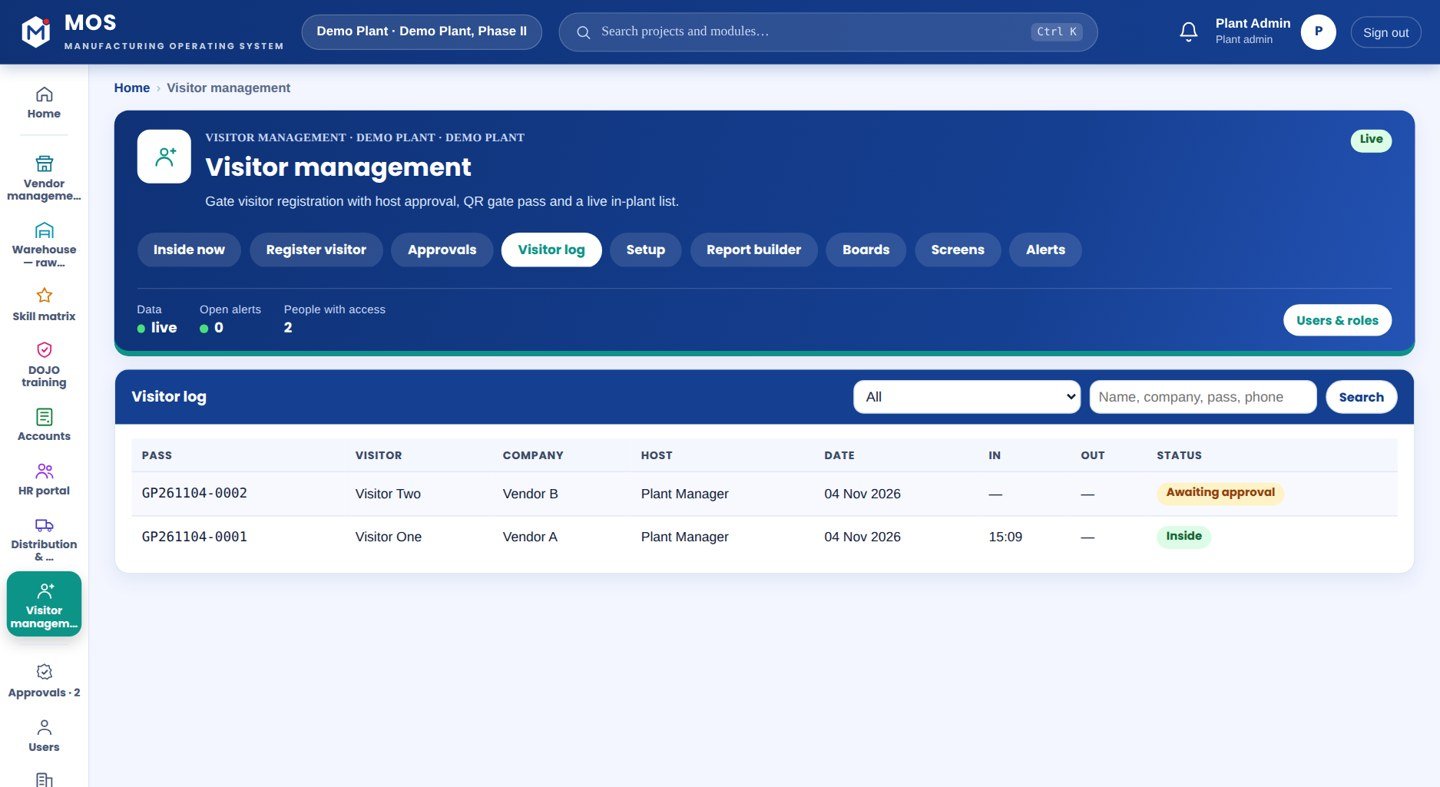
mos · visitor management
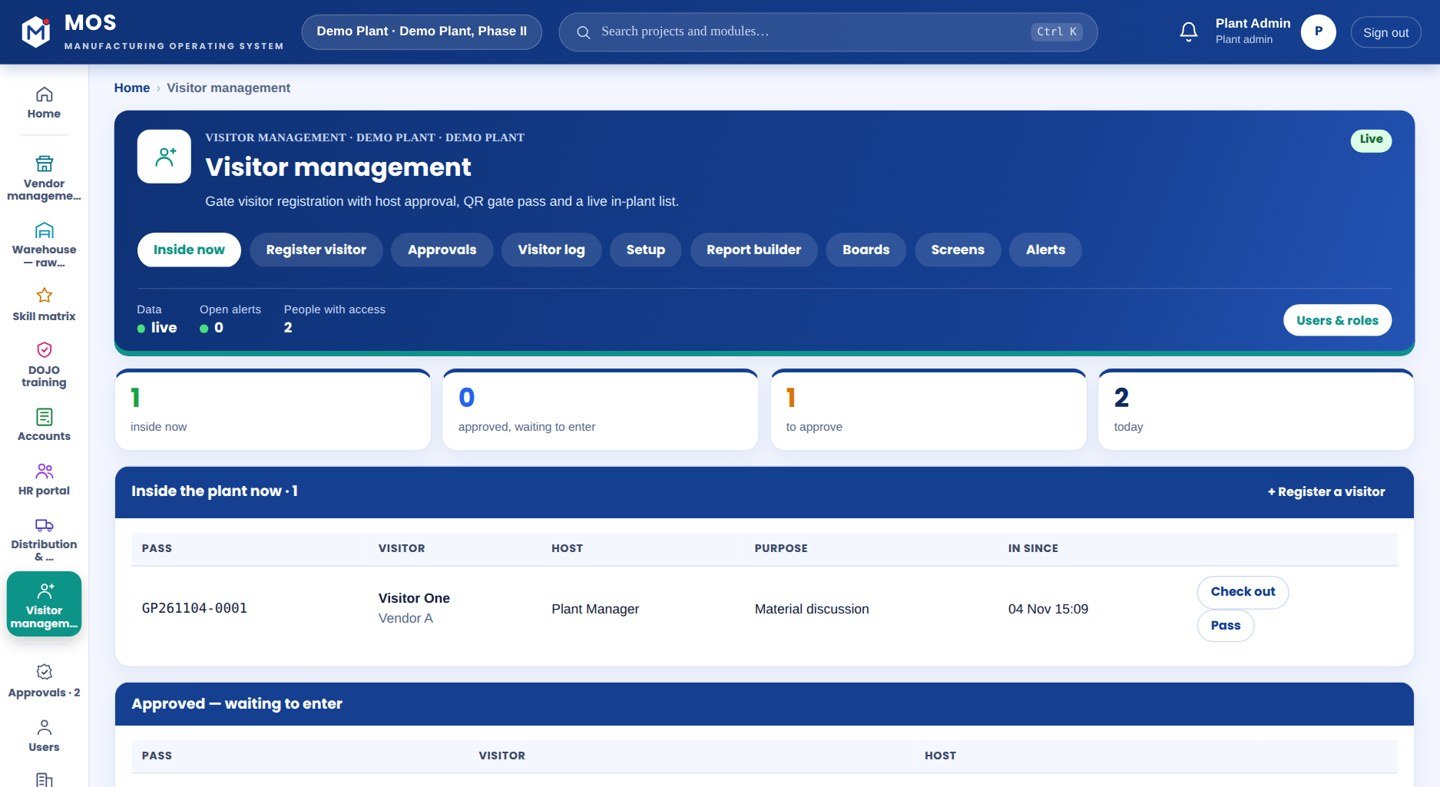
Visitor Management — Inside now
Who is in the plant

Inside now

Everyone currently inside, who they came to meet, and since when — with check-out from the same row.

  • Live inside-now count
  • Approved, waiting to enter
  • Check out in one tap
See it on my machine
Product positioning

A register at the gate tells you nothing at 3 pm

A paper visitor book cannot say who is inside right now, whether the host agreed, or find last Tuesday's vendor visit without turning pages.

“The guard registers the visitor and the host; the host approves; a QR gate pass prints; check-in and check-out are tracked with a live inside-now list and a searchable log.”
Today
GateRegisterHostInside the planta name in a register
With Visitor Management
GateHost approvalQR gate passLive listwho is inside, right now

Drawn, not promised: the top row is a visitor written into a gate register that nobody reads again. The bottom row is the same visitor approved by the host, carrying a QR pass, and on a live list until they scan out.

End-to-end flow

5 connected stages

Hover or tap a stage to see what is captured there.

01

Register

At the gate
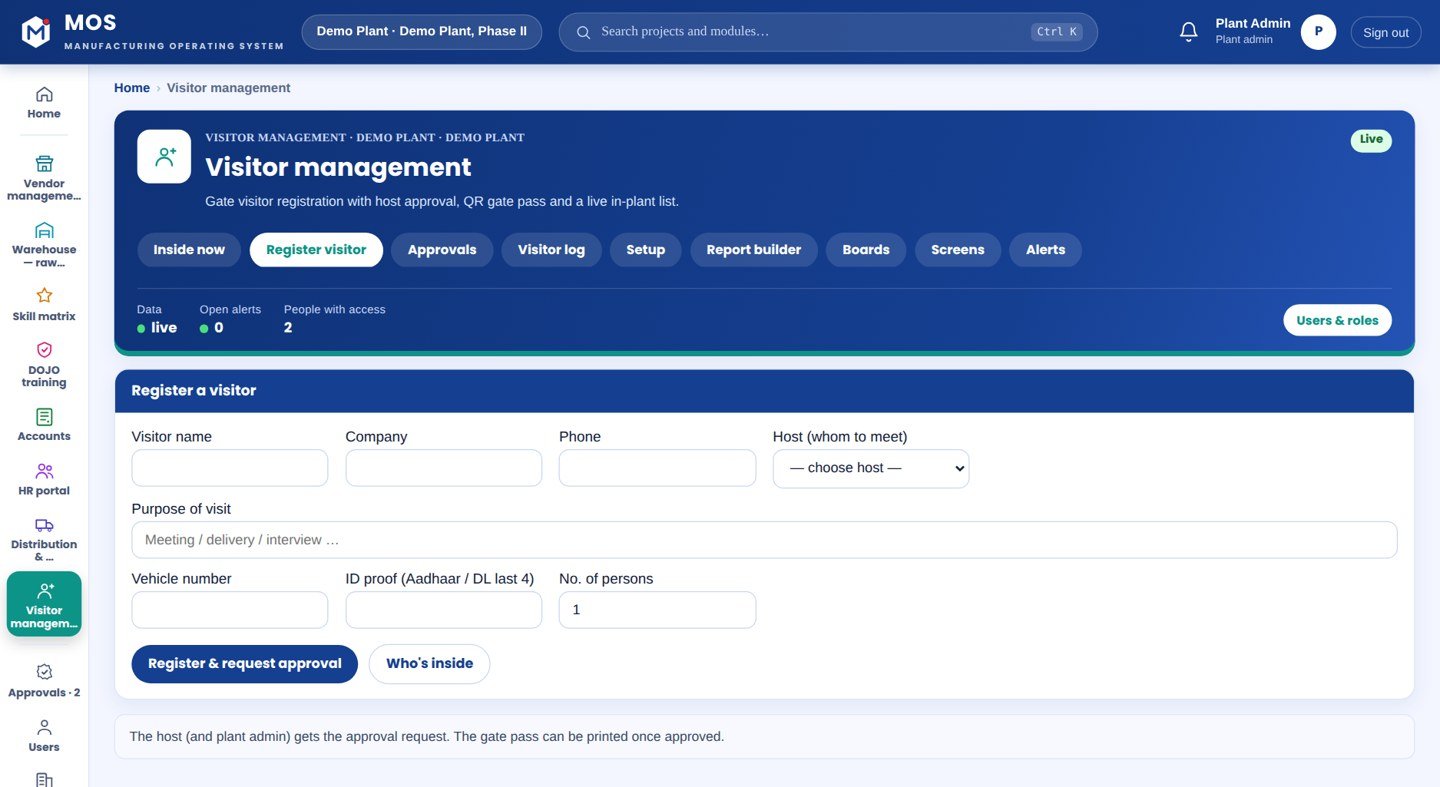
  • Visitor, company, phone
  • Host picked from HR
  • Vehicle, ID proof
02

Approve

Host or admin
  • One tap
  • Notified on MOS
  • Reject with a reason
03

Pass

Printed
  • QR gate pass
  • Company letterhead
  • Valid hours
04

In / out

Tracked
  • Check in on arrival
  • Check out on exit
  • Live inside-now
05

Record

Searchable
  • By name, company, date
  • Footfall by host
  • Full log
Continuous threadRegister→Approve→Pass→In / out→Record
Part of the platform

Visitor Management runs on MOS

Not a standalone tool — a product on the MOS platform, sharing one login, one set of people and roles, and one database with every other module. The lit layers are the ones this product uses; the signal path shows how data moves through them.

  • MOS Edge runs inside the plant — interlocks and screens keep working if the internet does not.
  • MOS Central is a one-way mirror for head office and every plant in one view.
  • Your IT never opens an inbound port.
MOS CentralEvery plant, one view
MOS EdgeYour plant server
MOS CoreThe operating layerin use
MOS ConnectMachine connectivity
MOS VisionAI on the line
Core engine & extensions

What is core, what extends it, what is not claimed yet

The honest map, drawn as one thread. Filled nodes are in the product today; outlined nodes are other MOS modules on the same platform; dotted nodes are roadmap and never represented as available until built. Hover a node.

● Core

● Core — in the product today○ Extension — another MOS module◌ Roadmap — not claimed
Native engine

Core functionalities

Each card ends with the thing itself as it appears in MOS — not a description of it.

Register

Guard, in a minute

  • Visitor and company
  • Whom to meet (from HR)
  • Vehicle and ID
  • Number of persons
Approve

Host or admin

  • Notified on MOS
  • Approve or reject
  • Guard sees the decision
  • Guard-issue mode optional
Pass & gate

QR, printed

  • Company-branded pass
  • Check in on arrival
  • Check out on exit
  • Validity hours
See & find

Any time

  • Inside now
  • Approvals pending
  • Log by name / company / date
  • Footfall
Operational journey

7-step digital thread

Step through it or let it play. Each step: who does it, on what, what is captured, and the check that guards it.

Step 1 / 7
Step 1 · Guard

Register

The guard records the visitor, company, phone, the host from the employee list, vehicle and ID proof.

WhereRegister screen
CapturedVisitor record
Guard / interlock—
● live in MOS
Where it sits

Your ERP or Tally runs the books. This adds the ground truth.

Your ERP / Tally typically givesVisitor Management adds
A paper registerA digital record with host approval
No idea who is insideA live inside-now list
Finding a visit by pagingSearch by name, company or date
Passes written by handA QR gate pass, printed
Hardware & connectivity

Works with what a plant already has

Gate

A PC or tablet for the guard; a label or A4 printer for the pass

Approval

The host and the plant admin on MOS

Server

MOS Core on the plant server

Nothing else

No wearable, no card, no extra reader

At a glance

The spec

What it connects to, where it runs and what it gives you — the short version your IT and your plant head both want.

ReadsHR employee list (for the host)
Runs onMOS Core
Needs on siteA PC/tablet and a printer at the gate
OutputsGate passes, who is inside now, searchable visitor log, footfall
Licensed byPer plant / per gate
Capability transparency

What is built, what extends, what is not claimed

Core — today

Registration, approval, QR pass, check-in/out, inside-now, log, guard-issue mode.

Extension

HR employee list supplies the host and department.

Integration-dependent

None — runs on the plant server as is.

Roadmap

Photo/ID capture at the gate — not represented as available.

Capabilities depend on the plant's process and what is connected at site. Nothing on this page is represented as available until it is built and running.

What you get

5 outcomes

Every visitor approved by the host A printed QR pass Who is inside, right now A searchable record Footfall by host and department
Who uses it

Everyone sees what their job needs

Gate guard

Register, print the pass, check in and out

Host

Approve or reject the visitor coming to meet them

Plant admin

Who is inside, and the full log

Security head

Footfall and the record for any day

On site

What is needed in your plant

At the gate

A PC or tablet for the guard, and a label or A4 printer for the pass.

For approval

The host and the plant admin on MOS — approval is a tap.

Nothing else

It runs on the MOS plant server with the rest of the plant.

Rollout

From the first day to the first month

Day one

Gate live

The guard registers visitors and prints a QR gate pass after host approval.

Week one

Hosts approving

Hosts approve from their screen; the live “inside now” list is in use.

Month one

Full record

A searchable visitor log and footfall by host and department.

Questions

Asked about Visitor Management

Can the guard issue a pass without waiting?

There is a guard-issue mode for expected or known visitors where the pass prints at once; otherwise the host approves first. You choose per plant.

Does it tie to our employees?

Yes — the host is picked from the HR employee list, so the pass carries the real host and department.

Works with

The rest of MOS

On your own machine

See it on your own machine.

Tell us about your plant and what you want to see. We visit, connect one machine or station, and you watch your own data in MOS before anything is quoted.

  • A plant visit to see the line and the problem
  • One machine or station connected as a proof of concept
  • Your own data, live, on MOS screens
  • Scope, modules and timeline agreed in writing only after that
Thank you — request received.We will call you shortly to plan the visit.