MOS / Modules / Stores & Logistics
TRACEGRID BY MOS
Running in production

TraceGrid — Serialisation & Track-Trace

A unique code on every unit, from the line to the distributor — and no one can fool you on quantity.

“Know exactly which unit was made, when, on which line — where it went, who holds it now, and whether it is genuine.”

6,050serials made3lines running137/500L1 · WO/26/000148not scanned infrom the demo plant
Unit serialPallet & cartonBarTenderDispatchDistributor appConsumer verify
See it on my machineSee the screen
Product UI showcase

The real screens, not a mock-up

Captures of MOS as it runs — what your supervisor, packer, dispatcher and head office actually see.
mos · tracegrid
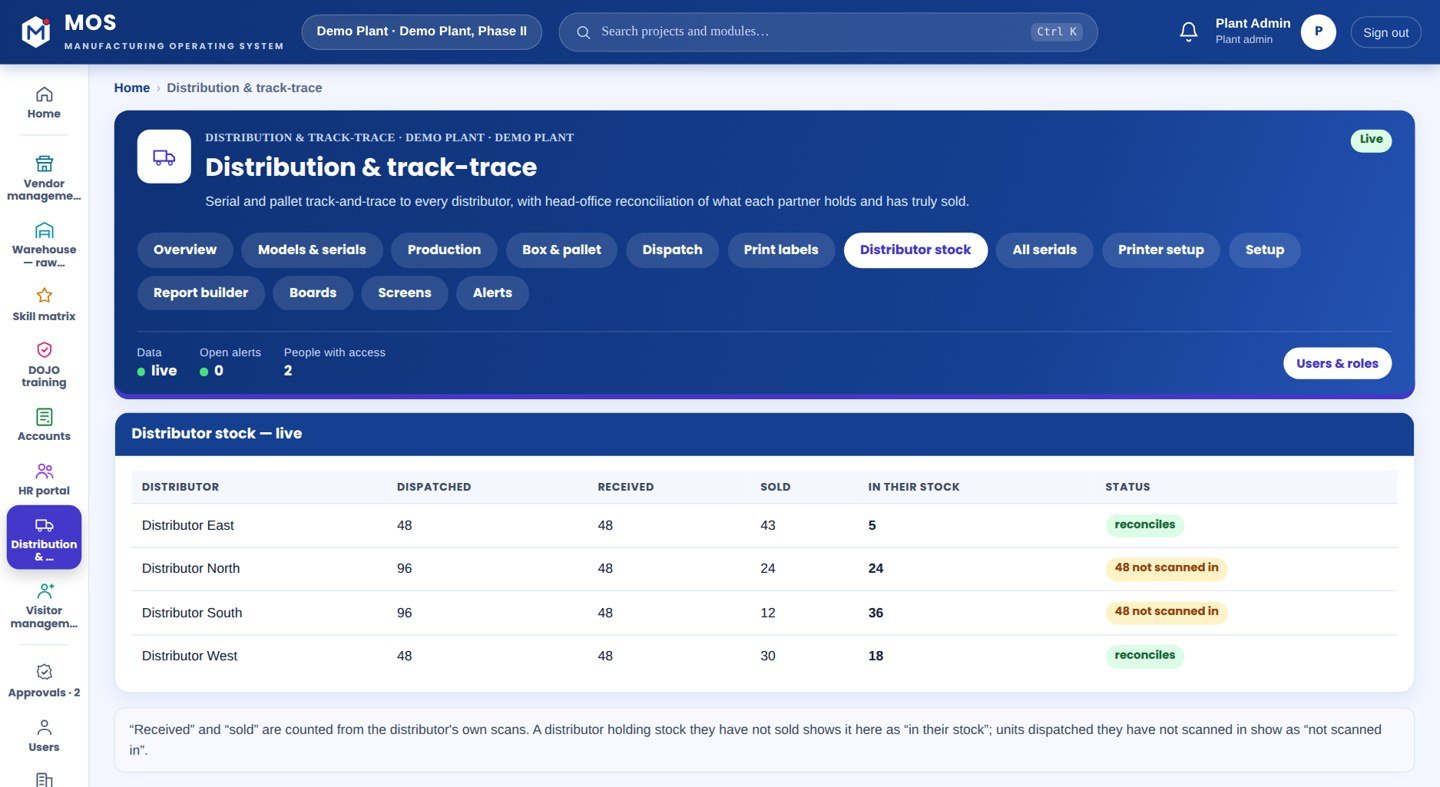
TraceGrid — Serialisation & Track-Trace — Distributor stock
Head-office reconciliation

Distributor stock

Received, sold and still-held per distributor, built from scans. A partner holding stock they have not scanned shows a flag on its own — and every unsold serial is named.

  • Live: received − sold = in their stock
  • Red flag when dispatched units are not scanned in
  • Drill to the exact serials still in their name
See it on my machine
Product positioning

Traceability that ends at the factory gate is where the money leaks

Most plants know what they made and what they invoiced. They do not know, unit by unit, what each distributor received, what was truly sold, and what is still sitting unsold in a partner's godown — so a wrong number from a partner cannot be caught, and a counterfeit cannot be told from the real thing.

“TraceGrid puts a verifiable code on every unit at the line and follows it by scan — through the box, the pallet, the truck, the distributor and the sale — so the office sees the truth, not a report.”
Today
PlantGateDistributorShopsight ends here
With TraceGrid
PlantGateDistributorShopevery hop scanned

Drawn, not promised: the top row is how most plants see their goods today — the record stops at the gate. The bottom row is the same goods with a code on every unit and a scan at every hand-off.

End-to-end flow

5 connected stages

Hover or tap a stage to see what is captured there.

01

At the line

Serialised
  • Production work order
  • Limit-switch pulse
  • Line-stamped serial
  • BarTender label
02

Packing

Aggregated
  • Box work order
  • Pallet work order
  • Box & pallet labels
  • Pack-size close
03

Dispatch

Loaded
  • Dispatch work order
  • Distributor + vehicle
  • Scan box / pallet
  • Auto-close on target
04

Distributor

Received & sold
  • Receive scan
  • Sell scan (shop name)
  • Own stock only
  • Phone app
05

Office & market

Reconciled & verified
  • Received − sold = held
  • Named unsold serials
  • Not-scanned-in flag
  • Consumer QR verify
Continuous threadAt the line→Packing→Dispatch→Distributor→Office & market
Part of the platform

TraceGrid runs on MOS

Not a standalone tool — a product on the MOS platform, sharing one login, one set of people and roles, and one database with every other module. The lit layers are the ones this product uses; the signal path shows how data moves through them.

  • MOS Edge runs inside the plant — interlocks and screens keep working if the internet does not.
  • MOS Central is a one-way mirror for head office and every plant in one view.
  • Your IT never opens an inbound port.
MOS CentralEvery plant, one viewin use
MOS EdgeYour plant serverin use
MOS CoreThe operating layerin use
MOS ConnectMachine connectivityin use
MOS VisionAI on the line
Core engine & extensions

What is core, what extends it, what is not claimed yet

The honest map, drawn as one thread. Filled nodes are in the product today; outlined nodes are other MOS modules on the same platform; dotted nodes are roadmap and never represented as available until built. Hover a node.

● Core

● Core — in the product today○ Extension — another MOS module◌ Roadmap — not claimed
Native engine

Core functionalities

Each card ends with the thing itself as it appears in MOS — not a description of it.

Line serialisation

Serial per unit at the line

  • Limit switch → +1 → label
  • Per-model serial format
  • Line-stamped, never duplicated
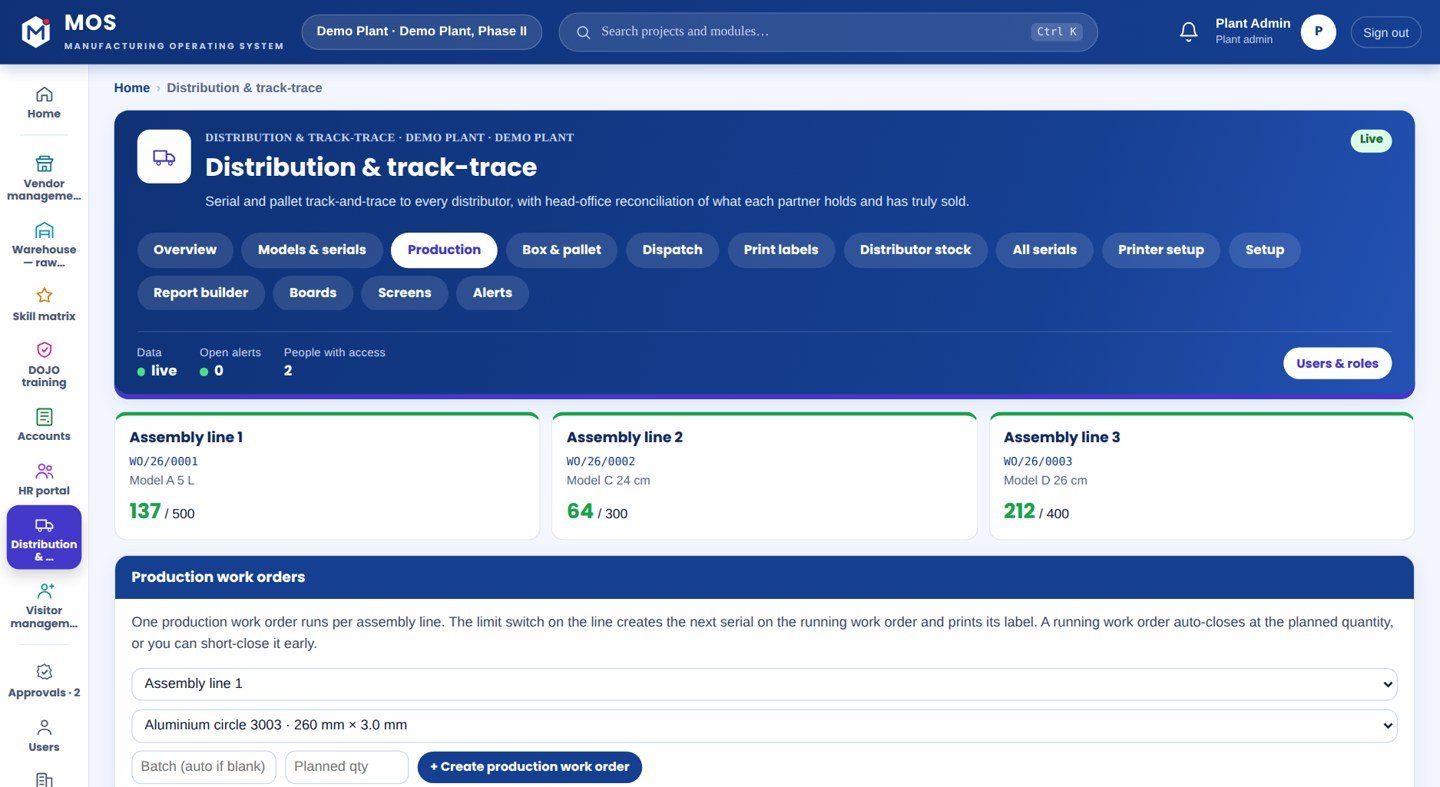
  • Auto-close at planned qty, short-close any time
MDL-A-2611-L1-00042MDL-A-2611-L1-00043…00044
Work-order engine

Production · box · pallet · dispatch

  • One production WO running per line (hard lock)
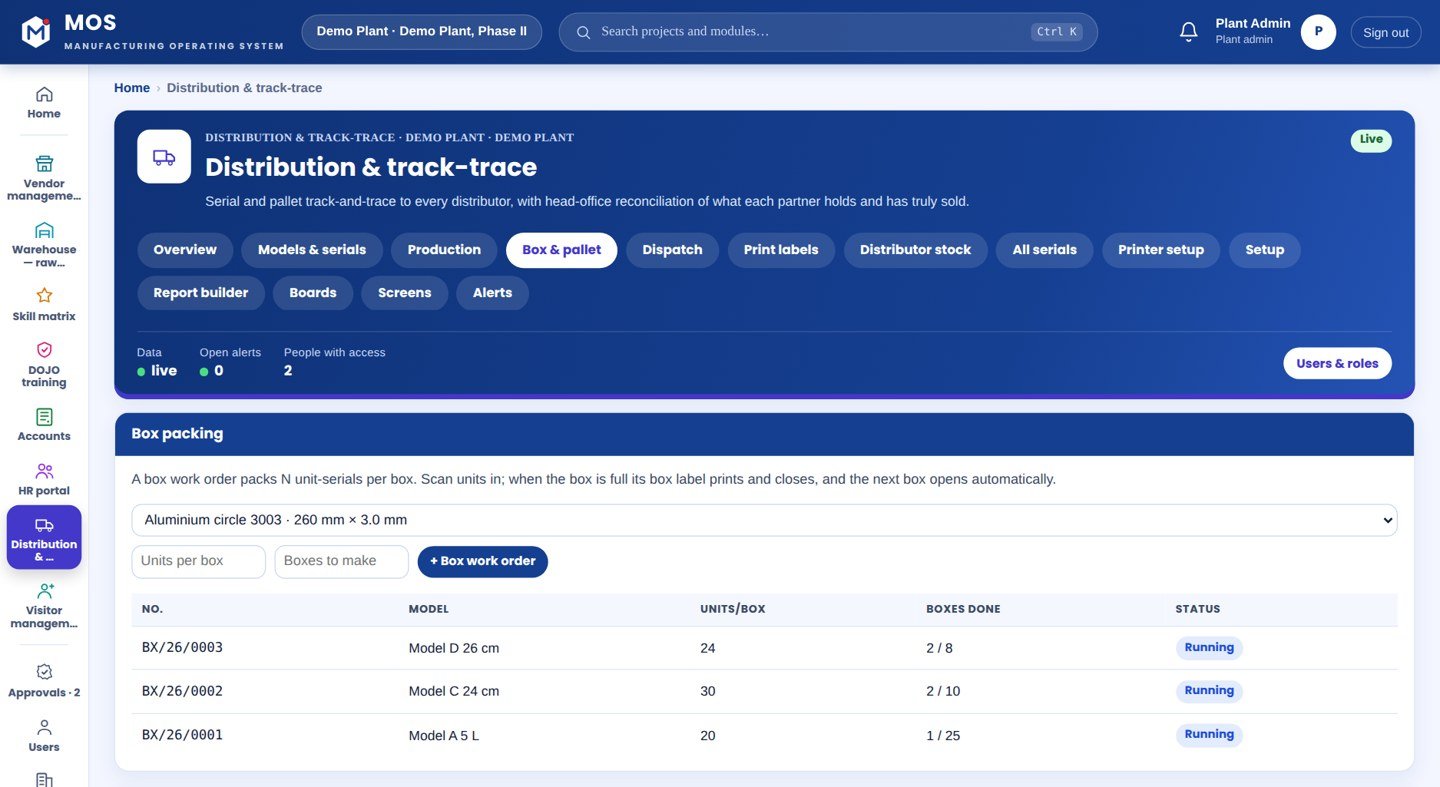
  • Box/pallet WOs close at pack size
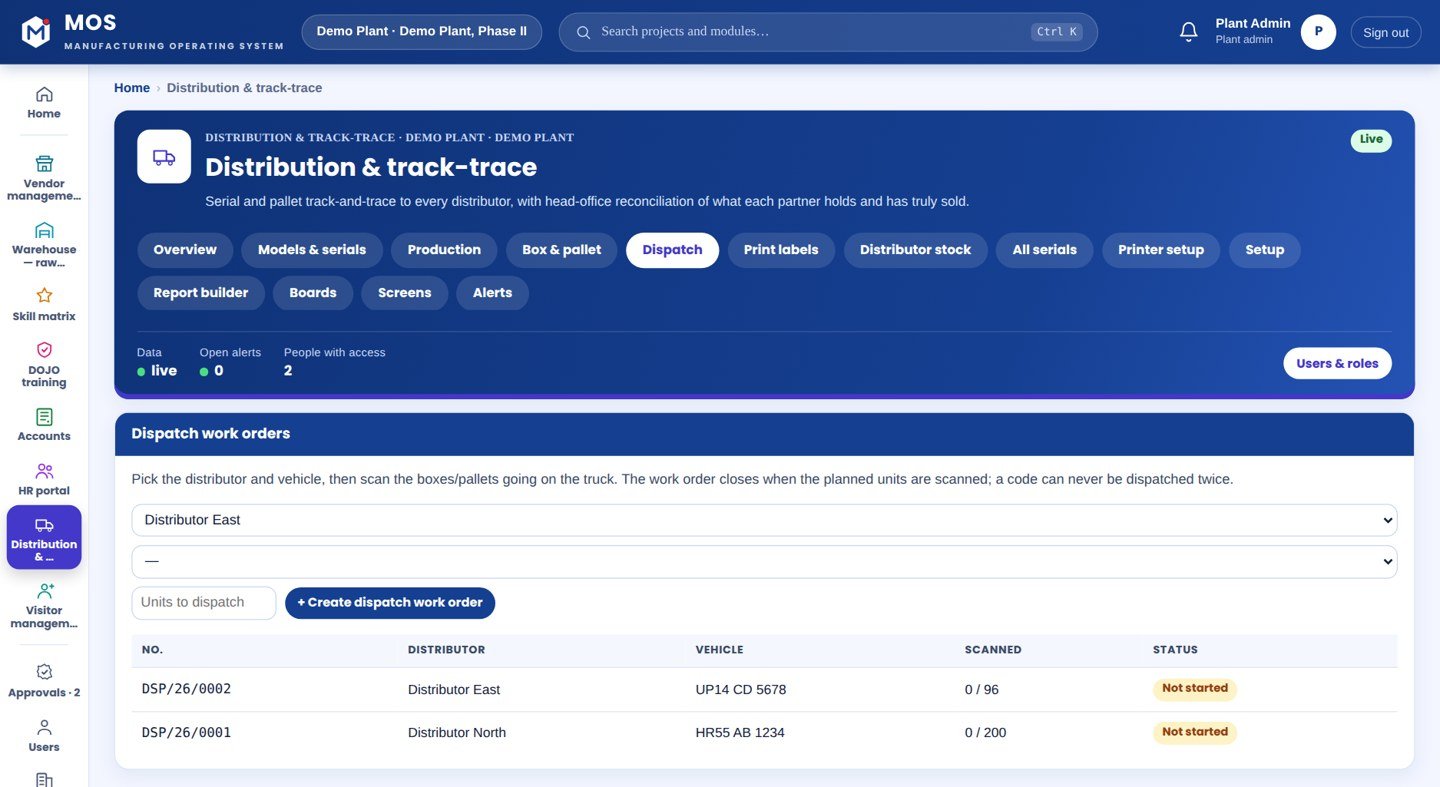
  • Dispatch WO closes when scanned complete
  • Every change logged with who and when
WO/26/0001 · L1running137 / 500
Label & print engine

BarTender, the production-line way

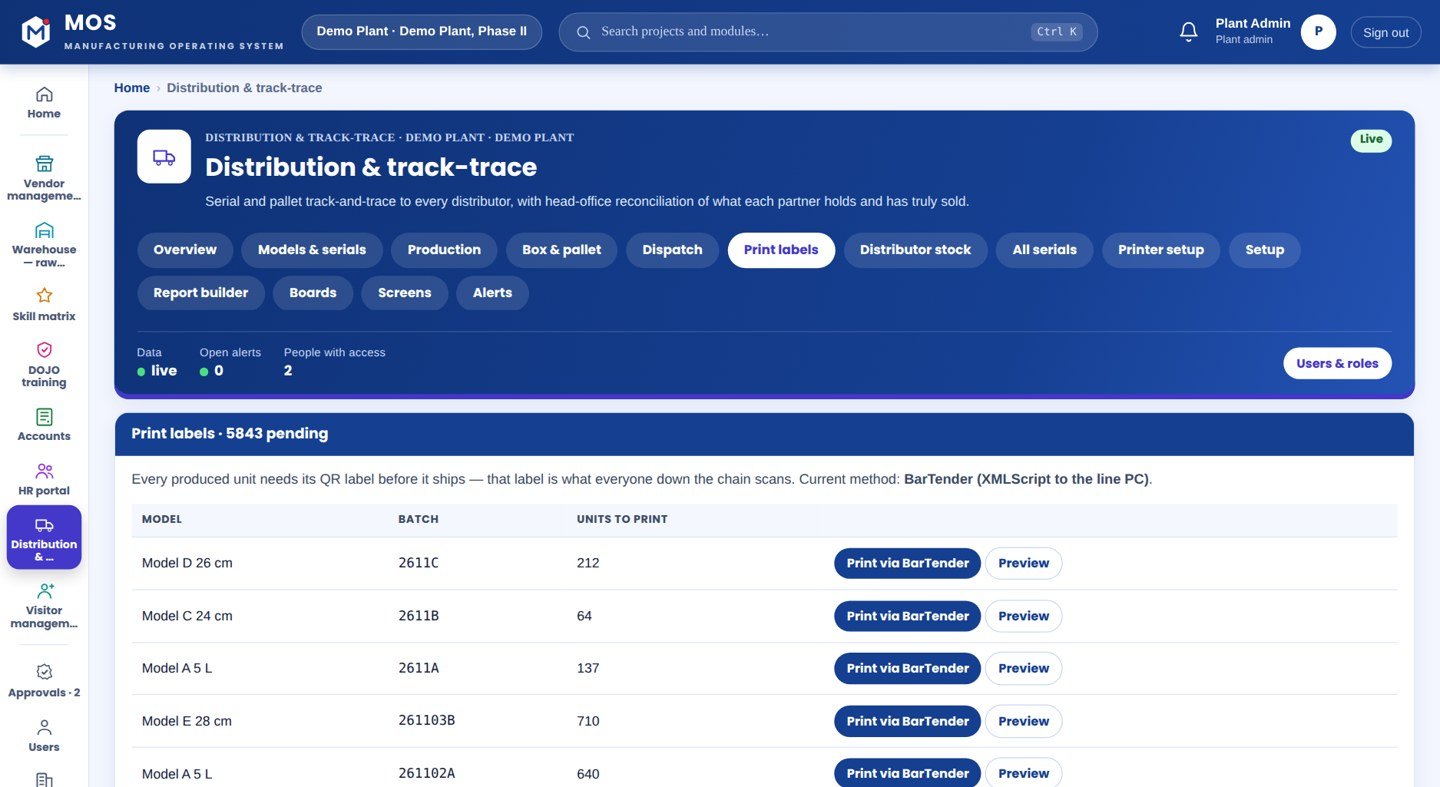
  • BarTender XMLScript with NamedSubStrings
  • Direct ZPL to Zebra / TSC
  • Browser print sheet for a pilot
  • Unit, box and pallet templates
DEMO PLANTModel A · 5 LMRP ₹1180MDL-A-2611-L1-00042
Channel reconciliation

What each partner truly holds

  • Received − sold = in their stock, per partner
  • Red flag: dispatched but not scanned in
  • Every unsold serial named
  • Distributor sees only their own stock
received 48sold 24held 2448 not scanned in
Consumer verify

Genuine, or not

  • Public QR verify page per unit
  • Model, serial, batch, made-on
  • Unknown code → “Not recognised”
  • No login needed to scan
✓ genuineMDL-A-2611-L1-00042✕ not recognised
MOS WarehouseStock, BOM & ledger
Stock on handBOM auto-consumeItem ledgerStock counts
MOS AccountsInvoices & GST
Sales invoicesCGST/SGST vs IGSTReceiptsDay book & Tally export
MOS VendorPOs & receipts
Purchase ordersGoods receiptsDebit notesReorder report
MOS HRPeople on the line
AttendancePayrollEmployee fileTerminals
Operational journey

11-step digital thread

Step through it or let it play. Each step: who does it, on what, what is captured, and the check that guards it.

Step 1 / 11
Step 1 · Office

Model & format

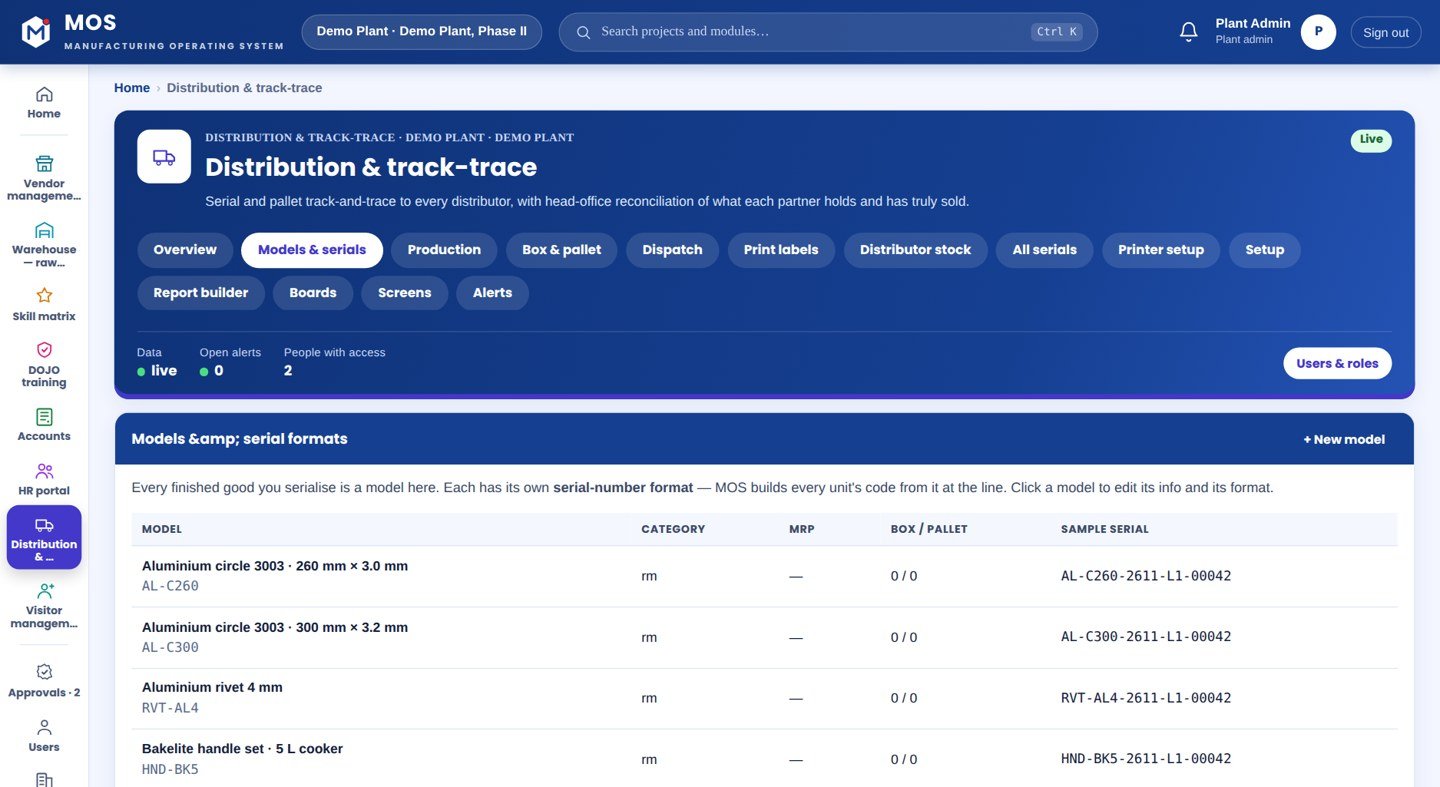
Create the model — category, MRP, box/pallet sizes — and compose its serial format with a live sample.

WhereModels & serials screen
CapturedModel master, serial format
Guard / interlock—
● live in MOS
Live reconciliation

A partner cannot fool the numbers

From the running demo plant — real figures, built from scans.

DistributorDistributor — North region
0dispatched
0received
0sold
0in their stock
0not scanned in

Dispatched 96 units; they scanned in only 48. 24 sold, 24 still in their stock — and 48 units dispatched that were never scanned in. The office does not need to ask: the flag is there, and the 48 serials are listed by number.

received − sold = in their stockflag raised on its ownevery unsold serial named
Where it sits

Your ERP or Tally runs the books. This adds the ground truth.

Your ERP / Tally typically givesTraceGrid adds
Invoices and stock totals by itemPer-unit serials, who holds each unit now
A distributor's reported sales figureReceived and sold from the distributor's own scans
Dispatch challans by quantityDispatch by scanned box/pallet, tied to distributor and vehicle
Labels printed from a templateLabels generated per serial, through BarTender, at the line
No way to tell a genuine unitA public verify page per unit
Hardware & connectivity

Works with what a plant already has

At the line

Limit switch via an Advantech ADAM module or a line PC that can POST; a label printer (Zebra / TSC) with BarTender

Packing & dispatch

A hand scanner or the phone camera for boxes, pallets and the truck load

Channel

The distributor app on a phone — receive and sell scans; a shopper needs only a camera

Connectivity

MOS Edge in the plant (works if the internet drops); the distributor app reaches MOS Central

At a glance

The spec

What it connects to, where it runs and what it gives you — the short version your IT and your plant head both want.

ReadsLimit switch (ADAM / line PC), hand scanner or phone, BarTender printer
Runs onMOS Edge — in-plant; the distributor app reaches MOS Central
Needs on siteA limit switch and a label printer at the line; a phone for packing & dispatch
OutputsSerials, box/pallet labels, dispatch records, distributor reconciliation, a public verify page
Licensed byPer line + per distributor seat
Capability transparency

What is built, what extends, what is not claimed

Core — in the product today

Line serialisation, serial formats, production/box/pallet/dispatch work orders, BarTender/ZPL printing, distributor app, reconciliation, consumer verify.

Extension — other MOS modules

Warehouse, Accounts, Vendor and HR run on the same platform and share the same items and people.

Integration-dependent

Physical line wiring (limit switch, ADAM, BarTender agent and printer) is installed per plant; the software side is built and tested.

Roadmap — not claimed today

Supplier-lot genealogy, per-station multi-stage interlocks, warranty/service linkage, circularity. Built per plant on request, never represented as available until done.

Capabilities depend on the plant's process and what is connected at site. Nothing on this page is represented as available until it is built and running.

What you get

10 outcomes

A unique, verifiable code on every unit No duplicate serials across lines Labels at the line, through your BarTender Know what each distributor truly holds Catch a wrong partner number on its own Name every unsold serial Dispatch tied to distributor and vehicle A counterfeit told from the genuine Work orders that close themselves One platform with Warehouse and Accounts
Who uses it

Everyone sees what their job needs

Line operator

Nothing to type — the switch prints each label

Packing

Scan units into boxes, boxes onto pallets

Dispatch

Scan the truck load against the distributor

Head office

What every partner holds and has truly sold

Distributor

Their own stock, with receive and sell on a phone

On site

What is needed in your plant

At the line

A limit switch on the line, wired to an ADAM module or a line PC that signals MOS once per unit, and a label printer (Zebra / TSC) with BarTender on the line PC.

For packing & dispatch

A hand scanner or a phone to scan units into boxes, boxes onto pallets and the load onto the truck.

For the channel

The distributor app on a phone to scan on receipt and on sale; a shopper needs only a camera.

Rollout

From the first day to the first month

Day one

Serials at the line

A production work order runs on a line; the switch prints a serialised label for every unit through BarTender.

Week one

Packed and dispatched

Boxes and pallets built by scan; a dispatch work order ties the load to a distributor and vehicle.

Month one

Channel reconciled

Distributors scan to receive and sell; head office sees received, sold and still-held per partner, to the serial.

Questions

Asked about TraceGrid — Serialisation & Track-Trace

Do the distributors have to scan?

The plant's scans are fully in your control. A distributor's two scans — receive and sell — need their cooperation; if they do not scan, their received stock simply stays showing against them, which is itself the control.

Does it use our label software?

Yes. MOS prints the way a production AC line does — it builds a BarTender XMLScript per label and the BarTender agent on the line PC prints it against your .btw template; you design the label and printer in BarTender.

Can two lines run the same model?

Yes. Each line runs its own work order and serials are line-stamped, so the same model on two lines never produces a duplicate code.

Works with

The rest of MOS

On your own machine

See it on your own machine.

Tell us about your plant and what you want to see. We visit, connect one machine or station, and you watch your own data in MOS before anything is quoted.

  • A plant visit to see the line and the problem
  • One machine or station connected as a proof of concept
  • Your own data, live, on MOS screens
  • Scope, modules and timeline agreed in writing only after that
Thank you — request received.We will call you shortly to plan the visit.